
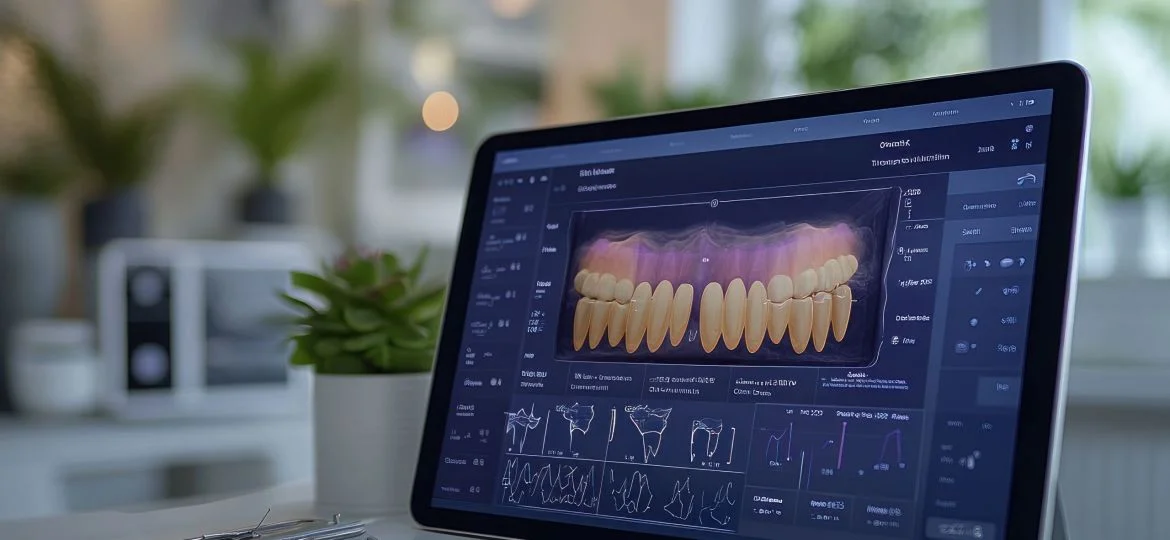

Running a dental clinic involves much more than filling an appointment calendar. A single patient may begin with an examination, require diagnostic imaging, receive a treatment plan involving several procedures, return for multiple visits, make payments at different stages, and need ongoing follow-up after treatment.
When patient records are stored in one system, X-rays in another, treatment plans are tracked manually, and financial information is managed separately, the clinic may have digital tools without having a truly digital workflow.
This is why choosing the right dental clinic software in Saudi Arabia should begin with the complete patient journey rather than a long list of software features.
The right system should help connect clinical documentation, appointments, treatment progress, billing, insurance, inventory, reporting, and Saudi healthcare requirements while remaining practical for dentists, reception teams, finance staff, and clinic managers.
This guide explains what Saudi dental clinics should evaluate before choosing a dental clinic management system and which workflows should be tested before making an investment.
Dental clinic software is a digital system designed to help dental practices manage clinical, administrative, and financial operations from a more connected environment.
Depending on the system and configuration, dental practice software may support areas such as:
However, not every clinic management platform offers the same level of dental-specific functionality.
A general clinic system may manage appointments, patient records, and invoices effectively, but a dental practice may also require tooth-level charting, multi-session treatment plans, chair scheduling, imaging workflows, or dental laboratory management.
Therefore, the first question should not be:
How many features does the software have?
It should be:
Can the software manage the way our dental clinic actually works?
Dental practices have workflows that make software selection different from many other medical specialties.
A dentist may need to document not only a diagnosis but also which tooth is affected, its current condition, previous treatment, proposed procedure, and completed work.
That makes structured dental charting an important requirement for many practices.
Procedures such as root canal treatment, crowns, implants, prosthodontic work, and orthodontic treatment may extend across several appointments.
The clinic therefore needs to understand what has been proposed, completed, postponed, paid for, and still needs to be scheduled.
X-rays and other dental images may form an important part of diagnosis and treatment planning.
A clinic should therefore evaluate how easily dentists can access relevant images or reports from the patient's clinical workflow.
Depending on the practice, an appointment may depend on:
Patient + Dentist + Chair/Room + Procedure + Expected Duration
This makes dental scheduling more complex than simply finding an empty time slot.
A treatment plan may include several procedures delivered over multiple visits, while payments may also be collected in stages.
The clinic needs to distinguish clearly between planned treatment, completed treatment, invoiced amounts, collected amounts, and outstanding balances.
One of the most effective ways to evaluate dental clinic management software in Saudi Arabia is to map a real patient journey.
A typical workflow may look like this:
Booking → Registration → Medical and Dental History → Examination → Dental Charting → Imaging → Diagnosis → Treatment Plan → Cost Estimate → Patient Approval → Procedure → Billing/Insurance → Follow-Up
The important question is not whether the software has a screen for each stage.
The important question is whether information flows between those stages without forcing staff to repeatedly enter the same data or move constantly between disconnected applications.
For example, when a dentist creates a treatment plan, can the relevant procedure later support scheduling and billing? Can staff see what remains unfinished? Can management understand the financial status of the treatment?
This is where an integrated system provides more value than a collection of separate digital tools.
Every dental practice has different requirements, but several areas deserve careful evaluation.
A dental electronic medical record should give authorized clinicians fast access to relevant patient information.
Depending on the clinic's requirements, this may include:
The goal is not simply to store information electronically. It is to make the information useful during clinical decision-making.
For more information about healthcare records and local requirements, read NitcoTek's guide to Electronic Medical Records requirements in Saudi Arabia. NitcoTek describes eCarePlus as connecting EMR and clinical documentation with broader administrative and financial workflows, depending on implementation scope.
Dental charting is one of the first dental-specific capabilities a practice should test.
Depending on the clinic's workflow, dentists may need to document:
Do not assume that a system described as an EMR automatically provides the dental charting experience your dentists need.
During the software demonstration, give the vendor a real clinical scenario and ask the dentist to perform the charting himself or herself.
Evaluate how many steps it takes and how easily previous and planned treatments can be distinguished.
Treatment planning is another area where dental software can provide significant operational value.
Consider a patient who requires:
The clinic needs more than a note saying "treatment required."
An effective workflow should make it possible, according to the clinic's requirements, to connect information such as:
Procedure → Tooth → Treatment Stage → Appointment → Cost → Status
The clinic should then be able to understand which procedures have been proposed, accepted, started, completed, or remain outstanding.
Dental treatment does not always end after the first appointment.
Suppose a patient begins a multi-stage procedure but does not return for the next visit.
Can the clinic identify that patient easily?
Can the dentist see what has already been completed?
Can reception identify the next required appointment?
Can finance see the relationship between completed treatment and payments?
These questions reveal whether the system truly supports treatment continuity.
Imaging should be evaluated as part of the clinical workflow rather than as an isolated feature.
An ideal process may look like:
Imaging Request → Image/Report → Patient Record → Dentist Review → Treatment Decision
During a demonstration, ask practical questions:
NitcoTek states that eCarePlus can support laboratory connectivity, while its broader healthcare environment can support laboratory and radiology workflows depending on the selected implementation.
Dental-specific imaging integrations, however, should be verified directly against the equipment and workflow used by the dental practice.
Appointment management can directly affect clinical productivity and patient experience.
Basic scheduling answers one question:
When is the dentist available?
Dental scheduling may need to answer several:
Which dentist? Which chair or room? Which procedure? How much time is required?
A short follow-up visit should not necessarily be treated in the same way as a complex procedure requiring considerably more chair time.
Depending on the size of the practice, evaluate whether the software can help manage:
NitcoTek's eCarePlus officially includes appointment booking and confirmation capabilities, including appointment confirmation messages.
Explore eCarePlus clinic management capabilities
An empty dental chair is not merely a scheduling inconvenience. It represents unused clinical capacity.
The first step is to measure the problem.
A simple metric is:
No-Show Rate = Missed Appointments ÷ Total Scheduled Appointments × 100
Instead of looking only at the overall number, managers can analyze no-shows by:
This can reveal patterns.
For example, if a particular time period consistently has a higher no-show rate, the clinic can investigate whether confirmation timing or scheduling policies need adjustment.
Appointment reminders and confirmations can also form part of a broader strategy to reduce missed appointments.
Financial reporting becomes more useful when the clinic distinguishes between different stages of treatment revenue.
Consider a treatment plan valued at SAR 6,000.
That does not necessarily mean the clinic has performed SAR 6,000 of treatment or collected SAR 6,000.
Management may need to distinguish between:
Planned Treatment Value — the value of proposed treatment.
Accepted Treatment Value — the value the patient agreed to proceed with.
Completed Treatment Value — the value of treatment actually delivered.
Invoiced Amount — what has been billed.
Collected Amount — what has actually been paid.
Outstanding Balance — amounts still due.
This distinction gives clinic managers a far more accurate picture of operational and financial performance.
eCarePlus includes an integrated billing system for managing financial transactions within the medical workflow.
For dental clinics operating in Saudi Arabia, local financial requirements should be part of the software evaluation from the beginning.
Where applicable, the clinic needs an invoicing process that aligns with the requirements of the Zakat, Tax and Customs Authority.
A connected workflow can link:
Procedure → Invoice → Payment → Financial Record
NitcoTek states that its software products support integration with ZATCA, and its healthcare e-invoicing guidance explains how Saudi medical facilities need to consider invoice generation, storage, required invoice data, QR codes, and Phase 2 integration requirements where applicable.
For a detailed explanation, see the NitcoTek guide to ZATCA e-invoicing for medical facilities in Saudi Arabia.
When evaluating dental software, do not simply ask whether it is "ZATCA compliant." Ask the vendor to demonstrate the invoicing workflow that applies to your organization.
For dental providers dealing with insured services, insurance administration can become one of the most time-consuming parts of the patient journey.
A connected insurance workflow may involve:
Eligibility → Pre-Authorization → Treatment → Clinical Documentation → Claim → Payer Response → Payment/Reconciliation
NPHIES provides standardized electronic healthcare and insurance information exchange between providers, payers, and other authorized parties in Saudi Arabia. NitcoTek's NPHIES integration supports workflows such as eligibility verification, pre-authorizations, claims, and status tracking.
When evaluating dental software in Saudi Arabia, ask:
The objective is not merely to "connect to NPHIES." It is to reduce unnecessary administrative work throughout the insurance process.
Read the complete guide to NPHIES integration for Saudi clinics.
Dental practices consume a large range of materials and supplies, making inventory another important part of operational control.
Depending on the practice, inventory may include restorative materials, impression materials, disposables, sterilization supplies, anesthetic products, implant-related materials, and other clinical consumables.
A structured inventory workflow can follow:
Purchase → Receive → Store → Use → Monitor → Reorder
The clinic should consider whether its software environment can provide visibility into:
For larger dental groups, inventory becomes even more important because management needs to understand whether one branch is consuming significantly more materials than another.
NitcoTek's broader healthcare ecosystem includes inventory capabilities, while its cloud healthcare platform can connect inventory with other operational modules depending on the selected configuration.
Dental clinics that frequently work with external or internal laboratories should also evaluate how laboratory cases are tracked.
For crowns, bridges, dentures, and other laboratory-dependent procedures, the workflow may involve:
Dentist Request → Laboratory Case → Specifications → Due Date → Delivery → Patient Appointment
A disconnected process can create operational problems when staff cannot easily determine whether a case has been sent, when it is expected back, or whether the patient's next appointment should be confirmed.
If dental laboratory case management is important to your clinic, test it explicitly during the software demonstration rather than assuming it is included in a general laboratory module.
Good dental clinic software should not simply record activity. It should help management understand performance.
Useful indicators can include:
eCarePlus includes performance-indicator functionality intended to support financial and operational decision-making.
The exact KPIs available should still be verified during the demonstration.
Dental practices frequently create treatment plans that patients do not begin immediately.
That creates an important management question:
How much proposed treatment is actually accepted?
A simple formula is:
Treatment Acceptance Rate = Accepted Treatment Plans ÷ Proposed Treatment Plans × 100
Suppose a clinic creates 200 treatment plans in a month, but only 120 are accepted.
The acceptance rate is:
120 ÷ 200 × 100 = 60%
The remaining 40% should not automatically be treated as a sales problem.
Management can investigate possible reasons such as:
The metric provides a starting point for investigation rather than an answer by itself.
Acceptance is only the beginning.
A patient may accept treatment and complete the first procedure but never return for the remaining visits.
A clinic can therefore track:
Treatment Completion Rate = Completed Treatment Plans ÷ Started Treatment Plans × 100
A low completion rate can indicate opportunities to improve follow-up, appointment planning, communication, or other parts of the patient journey.
This is particularly important because clinic growth does not depend exclusively on acquiring new patients. Improving continuity among existing patients can also have a meaningful operational impact.
As a dental organization expands, disconnected systems become increasingly difficult to manage.
A multi-branch dental group may need centralized visibility into:
At the same time, not every employee should necessarily have access to every type of information.
A strong multi-branch environment therefore needs to balance:
Centralized Management + Appropriate Permissions + Consolidated Reporting
NitcoTek states that eCarePlus can support multi-branch operations depending on the selected configuration, alongside patient management, EMR, billing, insurance, inventory, and reporting.
Deployment is another important decision for Saudi dental practices.
There is no universal answer because the appropriate model depends on the organization's infrastructure, security requirements, branch structure, internal IT resources, and growth plans.
NitcoTek offers eCarePlus through cloud deployment and also supports server-based deployment according to client requirements.
If cloud deployment is part of your evaluation, read the Cloud Clinic Management System KSA guide.
Dental clinics manage medical, personal, insurance, financial, and potentially imaging data. Security should therefore be evaluated as a core requirement rather than an optional feature.
Ask vendors about:
A useful practical test is:
Can reception staff see clinical information they do not need to perform their role?
If the answer is yes, the clinic should investigate whether permissions can be configured more appropriately.
NitcoTek describes its healthcare systems as supporting structured access controls and user roles as part of its healthcare data-management approach.
Language support can easily be overlooked during software evaluation.
A Saudi dental clinic may have Arabic-speaking patients and multilingual clinical or administrative teams. The software may therefore need to accommodate both Arabic and English workflows.
Consider:
NitcoTek states that its healthcare solutions support Arabic and English workflows as part of its focus on the Saudi healthcare environment.
The best approach is to ask staff from different roles to test the interface during the evaluation.
A structured selection process makes it easier to separate meaningful functionality from attractive demonstrations.
Document every step from booking to treatment completion and follow-up.
Identify where information changes hands and where delays occur.
Do you need:
Prioritize these requirements before comparing vendors.
Do not accept screenshots alone.
Ask a dentist to use it.
Create a treatment plan with several procedures and appointments.
Then change one of them and see how the system responds.
Use the equipment and imaging workflow that your clinic actually uses wherever possible.
Test a busy working day rather than an empty demonstration calendar.
Test a patient who has several procedures and pays in stages.
Run an insurance scenario from eligibility through claim tracking.
Test the actual invoice types your clinic issues.
Create a realistic material-receiving and consumption scenario.
Ask management to name five questions they regularly need answered, then ask the vendor to produce those answers.
Test different user roles.
Evaluate what happens when you add dentists, users, branches, or additional modules.
Ask exactly which existing data can be transferred and in what format.
A demonstration should reproduce your clinic, not merely showcase the vendor's preferred features.
Ask the vendor to complete these scenarios:
After every scenario, ask:
Was information entered more than once?
Did the user need to leave the system?
Could the dentist access the information required for treatment?
Could management measure what happened?
A system that performs well in a real workflow is more valuable than one with the longest feature list.
Scheduling is important, but it represents only one part of the patient journey.
Dental-specific functionality must be verified.
A system may perform well for one-time visits but become difficult to use when treatment extends across several appointments.
This can make it harder for dentists to retrieve the complete clinical context.
These patients may require follow-up even when they do not currently have an appointment.
Materials directly affect both clinical operations and costs.
Implementation, integrations, migration, support, and training also affect the real cost.
NPHIES and ZATCA workflows should be evaluated where they apply to the clinic.
Management may select the system, but dentists will use its clinical workflows every day.
There is no meaningful single price for every dental practice.
The cost can depend on factors such as:
For this reason, comparing monthly subscription fees alone can be misleading.
A better approach is to evaluate Total Cost of Ownership:
TCO = Software + Implementation + Migration + Integrations + Training + Support + Internal IT Costs
A system with a lower license price may become more expensive if the clinic needs several external applications to complete basic workflows.
Software ROI should be measured against the operational problems the clinic wants to solve.
Before implementation, establish baseline figures for important indicators.
Then measure the same indicators after implementation.
For example, if the clinic wants to reduce no-shows, measure appointment attendance.
If the objective is better financial control, monitor collection rates and outstanding balances.
If the objective is operational efficiency, measure administrative time and duplicate data entry.
Without a baseline, it is difficult to determine whether the software actually improved the practice.
Having software does not necessarily mean you have the right software.
It may be time to reassess your system if:
When a patient journey is spread across software, spreadsheets, paper, messaging applications, and separate imaging folders, the problem is not simply missing features.
It is workflow fragmentation.
After defining your dental clinic's requirements, the next step is evaluating whether a healthcare management platform can connect the broader clinical, administrative, insurance, and financial environment.
NitcoTek provides eCarePlus for managing clinics, medical centers, and hospitals. Depending on the selected modules and implementation scope, NitcoTek states that the platform can support patient registration, EMR, appointments, billing, insurance workflows, NPHIES integration, ZATCA e-invoicing, inventory, reporting, and multi-branch operations.
For a dental clinic, however, this distinction is important:
Do not assume that specialized dental workflows are available simply because a general healthcare capability exists.
Requirements such as:
should be demonstrated and verified against the clinic's requirements before implementation.
This makes the buying process more reliable and ensures the clinic chooses software based on its actual workflow rather than assumptions.
Explore eCarePlus and request a demonstration
Use this checklist before making a final decision:
Do not choose the platform with the greatest number of checkmarks.
Choose the platform that performs your highest-priority workflows well.
Dental clinic software is a digital platform used to manage clinical, administrative, and financial workflows in dental practices. Depending on the system, it may include patient records, scheduling, dental charting, treatment planning, imaging, billing, insurance, inventory, and reporting.
There is no single system that is automatically best for every dental clinic. The right choice depends on the practice's size, specialties, treatment workflows, insurance requirements, branches, integrations, reporting needs, and budget. A real-workflow demonstration is one of the best ways to compare systems.
General clinic software usually focuses on functions such as patient records, appointments, billing, and reporting. Dental practices may additionally require dental charting, tooth-level treatment plans, imaging workflows, multi-visit treatment tracking, chair management, and dental laboratory workflows.
Many dental-specific platforms provide dental charting, but functionality varies significantly. Clinics should test the charting process with their dentists rather than assuming it is included or suitable.
Some systems can track multi-stage treatment plans and appointments. This capability should be tested using a real treatment scenario to ensure completed and remaining procedures are easy to identify.
Integration capabilities depend on the software, imaging equipment, and technical configuration. Ask the vendor to demonstrate compatibility with the systems already used by your clinic.
Some healthcare systems support NPHIES integration. NitcoTek, for example, provides NPHIES-connected workflows for Saudi healthcare providers, including eligibility, authorization, and claims processes. The exact workflow applicable to the dental clinic should be verified during implementation.
Software used by Saudi dental clinics should be evaluated against the ZATCA requirements applicable to the organization. NitcoTek states that its healthcare software supports ZATCA e-invoicing integration.
Cloud systems can make centralized management and multi-location access easier, but suitability depends on security, connectivity, integrations, performance, and operational requirements. eCarePlus supports cloud deployment as well as server-based deployment according to client needs.
Pricing depends on factors such as users, dentists, branches, modules, integrations, deployment, migration, training, and support. Clinics should compare total cost of ownership rather than subscription price alone.
Migration depends on the existing system, data quality, formats, and capabilities of the new platform. Before signing a contract, request a clear migration plan covering patient records, appointments, financial data, clinical history, documents, and any dental-specific information that needs to be retained.
The right dental clinic software in Saudi Arabia is not necessarily the system with the longest feature list or the most impressive dashboard.
Its value comes from how effectively it connects the real patient journey:
Patient → Dental Record → Diagnosis → Treatment Plan → Appointments → Procedures → Imaging → Billing → Insurance → Follow-Up → Reporting
For dentists, that means easier access to the clinical information needed at the chair.
For reception teams, it means more organized scheduling and follow-up.
For finance teams, it means clearer billing, payments, insurance, and outstanding balances.
For management, it means turning daily activity into measurable information that supports better decisions.
Before choosing a system, take one real patient journey from your dental practice and ask the vendor to complete it from beginning to end.
Do not simply ask:
"Does your software have this feature?"
Ask:
"Show us how our clinic would perform this workflow."
That difference can help you choose dental clinic software that does more than digitize your existing processes—it can help you build a more connected and scalable dental practice.
If your dental clinic operates in Saudi Arabia and you are evaluating a more integrated healthcare management environment, explore eCarePlus from NitcoTek and evaluate the platform against your clinic's real clinical, financial, insurance, and operational workflows.