
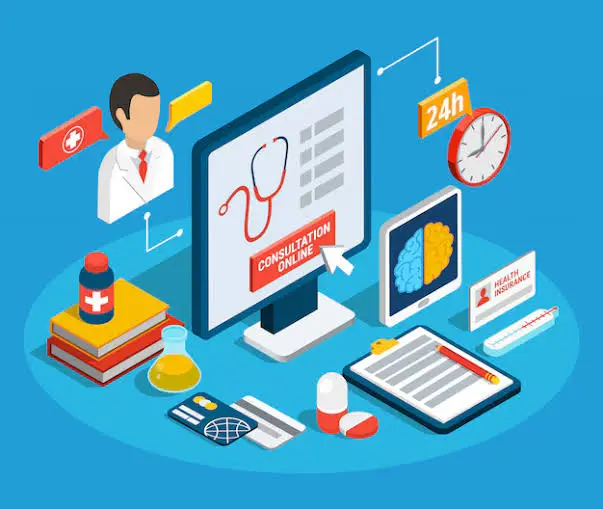

Managing a clinic in 2026 requires more than a basic appointment calendar or a separate billing application. Saudi clinics increasingly need connected digital systems that bring patient records, scheduling, insurance, accounting, inventory, compliance, and performance reporting together.
When these operations are spread across spreadsheets and disconnected tools, clinic teams may face duplicated records, slower insurance workflows, billing errors, limited financial visibility, and difficulty managing multiple branches.
This is why choosing the best cloud-based clinic management software in Saudi Arabia 2026 has become a strategic decision for clinic owners and healthcare managers.
The right platform should not only digitize existing processes. It should help the clinic operate more efficiently, improve the patient journey, strengthen financial control, support Saudi regulatory requirements, and scale as the organization grows.
This guide explains how cloud clinic software works, which features matter most, how it compares with on-premise software, and what Saudi healthcare providers should evaluate before selecting a system.
Cloud-based clinic management software is a digital platform that allows healthcare providers to manage clinical, administrative, and financial operations through a secure online environment.
Instead of installing the entire system on computers or servers inside the facility, authorized users access the software through an internet connection. Information is synchronized across the platform, allowing different departments to work with the same updated data.
Depending on the platform, cloud clinic software may manage:
The goal is to create one connected operating environment rather than a collection of separate applications.
A cloud-based system stores and processes clinic information within managed digital infrastructure. Authorized employees access the features they need according to their roles.
For example:
Updates entered by one authorized department can become available to other relevant users in real time. This reduces duplicated data entry and helps the clinic maintain more consistent records.
Traditional clinic software is often installed on local computers or on-site servers. The clinic may be responsible for hardware, maintenance, backups, updates, security controls, and technical troubleshooting.
Cloud-based software follows a different model. Much of the infrastructure and software maintenance is managed centrally, while the clinic accesses the platform through secure accounts.
The best model depends on the clinic’s size, workflow, security strategy, internet environment, and operational requirements. However, cloud deployment offers clear advantages for clinics that prioritize flexibility, centralized management, and future expansion.
Want a deeper understanding of how cloud platforms support daily clinic operations? Explore our complete guide to choosing a Cloud Clinic Management System in KSA.
Saudi Arabia’s healthcare sector continues to move toward connected, data-driven, and patient-centered services.
Clinics are expected to manage growing volumes of digital information while improving service quality and operational efficiency. A modern clinic management platform supports this transformation by replacing fragmented processes with structured digital workflows.
Many clinics previously used one tool for appointments, another for accounting, and separate processes for medical records, insurance, and inventory.
This fragmentation creates data silos. Staff may need to enter the same information more than once, while management struggles to obtain a complete view of operations.
Cloud-based clinic management software connects these functions and creates a more reliable source of operational data.
Healthcare groups are expanding across Riyadh, Jeddah, Dammam, and other Saudi cities. Managing each branch through an isolated local system makes reporting and standardization difficult.
A cloud platform can support:
This makes cloud software particularly valuable for healthcare organizations planning regional growth.
Saudi clinics operate within an evolving regulatory and digital environment. Their software may need to support areas such as:
Choosing compliance-ready software reduces the need for disconnected external workarounds and helps clinics adapt to future requirements.
Clinic owners and authorized managers may need to monitor operations while away from the facility.
Cloud-based software can provide secure access to:
Remote access does not mean unrestricted access. A strong system should combine flexibility with identity controls, user permissions, and activity tracking.
Patients increasingly expect convenient and organized healthcare experiences. They value:
The best cloud-based clinic management software in Saudi Arabia 2026 should help improve both internal efficiency and the patient journey.
Not every online clinic system offers the same depth of functionality. Saudi healthcare providers should evaluate whether the platform can connect core clinical, administrative, financial, and compliance workflows.
Electronic Medical Records, or EMR, form the clinical core of a clinic management platform.
An effective EMR module should support:
Doctors should be able to find relevant information quickly without navigating a complicated interface. The system should also control who can view, add, or modify sensitive records.
A well-designed EMR improves continuity of care and reduces dependence on paper files.
A modern scheduling module should do more than display available times.
It should help clinics manage:
The system should make it easier to balance patient demand with available clinical resources.
Automated reminders can also help reduce missed appointments and improve the use of doctors’ time.
Patient registration is often the first operational touchpoint inside a clinic.
The software should help reception teams create accurate patient profiles without repeated data entry. It may include:
A unified profile helps reduce duplicate patient records and allows authorized departments to work with consistent information.
Insurance workflows are a major part of clinic operations in Saudi Arabia.
A suitable cloud clinic platform should help teams manage:
Integration between clinical documentation and claims processing is particularly important. When diagnoses, services, and billing information are connected, clinics can reduce avoidable errors and improve revenue cycle efficiency.
For insured healthcare workflows, the system should be capable of supporting integration with NPHIES when required.
An integrated workflow can help clinics process:
NPHIES readiness should be evaluated as a practical capability, not simply a marketing phrase. Clinic managers should ask how the platform handles transaction exchange, coding, error management, and status monitoring.
Billing should be connected directly to the services delivered to each patient.
The platform should support:
Accounting integration may also include:
Connecting clinical services with financial records improves accuracy and reduces revenue leakage.
Clinics subject to Saudi e-invoicing requirements need software that can support the applicable ZATCA rules.
Relevant capabilities may include:
Because ZATCA’s integration phase is implemented in waves, clinics should confirm whether the software can accommodate their applicable obligations and future onboarding requirements.
Clinics that dispense medication or manage medical supplies need connected inventory controls.
Important features include:
Connecting prescriptions with pharmacy dispensing can improve accuracy, while expiry alerts and stock reporting help reduce waste.
Clinics may operate internal laboratories or connect with external diagnostic services.
The platform should support workflows such as:
Where lab devices are integrated directly, results can move into the clinic system with less manual transcription.
Larger clinics and multi-branch groups may benefit from integrated HR capabilities.
These may include:
Integrating HR with broader clinic operations gives management better visibility into staffing and labor costs.
The best software should turn operational data into useful management insights.
Dashboards may cover:
Reports should be easy to filter and understand. A system that collects data without making it useful does not provide full management value.
Authorized managers may need to access reports or operational dashboards from approved devices.
Secure remote access can support:
Access should remain controlled through strong authentication, permissions, and user activity records.
Medical facilities cannot afford to lose patient, billing, or operational records.
The software provider should have clear procedures for:
Clinic managers should request clear answers rather than assuming that every cloud platform provides the same level of protection.
Discover how SaaS medical software in Saudi Arabia helps healthcare providers reduce infrastructure complexity, access automatic updates, and scale their digital operations.
Cloud deployment can reduce the need for clinics to purchase and maintain extensive on-site server infrastructure.
This may lower the burden associated with:
The exact cost benefit depends on the provider, subscription structure, clinic size, and required modules.
Cloud software can be updated centrally, allowing clinics to receive improvements without reinstalling the application on every device.
Updates may include:
Clinics should still ask how updates are tested, communicated, and deployed.
An integrated platform reduces the number of manual steps between departments.
For example, a patient visit can connect:
This saves time and reduces duplicated work.
Efficient software supports a smoother patient journey from booking to payment.
Patients may benefit from:
Technology should support human service rather than make it more complicated.
Authorized teams can access the information relevant to their responsibilities without waiting for paper files or manual updates.
This improves coordination between:
A professionally managed cloud environment can provide security capabilities that may be difficult for a small clinic to maintain independently.
These may include:
However, cloud hosting alone does not guarantee security. Clinics should evaluate the provider’s actual safeguards, governance, and support procedures.
A local device failure should not stop the entire clinic from accessing its system.
With suitable cloud architecture and continuity planning, authorized users may continue working from alternative approved devices or locations.
This can reduce the operational impact of hardware failures and local incidents.
Cloud clinic software can make it easier to add:
This helps clinics avoid replacing their entire system every time the organization expands.
Learn how an Online Clinic ERP System connects patient management, billing, accounting, inventory, and reporting through one centralized digital platform.
Both cloud and on-premise deployment can support clinic operations, but they involve different responsibilities and limitations.
A large organization with specialized infrastructure may choose an on-premise or hybrid model. However, many private clinics and expanding medical centers prefer cloud-based software because it reduces infrastructure complexity and supports centralized growth.
Selecting software based only on price or a short feature list can lead to expensive operational problems later.
Clinic managers should evaluate the complete relationship between functionality, compliance, security, usability, implementation, and support.
General business software is not enough for a medical facility.
The system should understand:
Request a demonstration based on your clinic’s actual workflow rather than a generic presentation.
Ask the provider to explain exactly how the system supports relevant Saudi requirements.
Useful questions include:
Specific answers are more valuable than broad claims of compliance.
The software may need to connect with:
Ask which integrations are native, which require customization, and whether additional fees apply.
The right software should fit the clinic today and remain useful as it grows.
Confirm whether it can support:
Ask the provider about:
The clinic should also understand its own responsibilities for user management, password policies, and device security.
Healthcare operations cannot tolerate long periods of system downtime.
A suitable provider should offer:
Local healthcare knowledge is particularly valuable when dealing with Saudi insurance, invoicing, and operational requirements.
A powerful system can still fail if staff find it difficult to use.
During the demonstration, involve representatives from:
Each team should test the workflows relevant to its responsibilities.
Ask for a clear implementation plan covering:
A rushed implementation can create more problems than the software solves.
The advertised subscription price may not reflect the complete cost.
Ask whether pricing includes:
Transparent pricing helps the clinic compare long-term value accurately.
Before selecting the best cloud-based clinic management software in Saudi Arabia 2026, confirm that the platform can provide:
The final decision should be based on how well the system supports the clinic’s real operations, not simply how many features appear in a brochure.
The cheapest system may lack essential integrations, compliance support, scalability, or reliable technical assistance.
Clinic managers should compare total long-term value rather than the initial subscription price.
Using separate systems for appointments, EMR, accounting, pharmacy, and insurance may appear flexible at first. In practice, it often creates duplicated records and fragmented reporting.
A connected ecosystem generally provides better operational visibility.
If doctors and administrative teams cannot use the system comfortably, adoption will remain low.
Include users in testing and select workflows that match daily clinic operations.
Old patient and financial records may contain duplicates, incomplete information, or inconsistent formats.
Migration should be planned carefully, with validation before the new system goes live.
Security depends on architecture, policies, access controls, backups, monitoring, and staff practices.
Request specific security information before making a decision.
A system suitable for one branch may become restrictive when the clinic opens more locations.
Choose software with clear multi-branch and scalability capabilities.
NitcoTek develops technology solutions for healthcare providers, including clinics, medical centers, hospitals, pharmacies, and expanding healthcare groups.
This healthcare focus enables its platforms to address the connection between clinical, financial, insurance, and administrative operations.
NitcoTek’s eCarePlus is designed to help healthcare providers manage clinics and medical centers through an integrated environment.
Depending on the selected configuration, the system can support areas such as:
The platform is available through cloud deployment and can also support server-based deployment according to organizational requirements.
Rather than treating each clinic department as an isolated function, NitcoTek provides an ecosystem that can connect healthcare operations with broader modules such as:
This connected approach gives management clearer visibility across the organization.
Saudi clinics need software that can support local digital workflows.
NitcoTek helps healthcare providers manage e-invoicing and insurance processes through integrated systems designed to reduce manual work and improve transaction accuracy.
The exact implementation should be evaluated according to each facility’s regulatory obligations, insurer relationships, and technical requirements.
Different healthcare organizations have different infrastructure strategies.
NitcoTek supports cloud-based operation while also offering server deployment when needed. This flexibility allows clinics to select a model that suits their operational, security, and expansion requirements.
NitcoTek solutions can support healthcare providers as they add users, departments, services, and branches.
Centralized reports and connected modules help expanding organizations maintain stronger operational control.
Successful clinic digital transformation requires more than software access.
NitcoTek supports healthcare organizations through:
Local support helps clinics address Saudi healthcare workflows more effectively and reduce disruption during implementation.
Cloud-based clinic management software is an online healthcare platform that helps clinics manage patient records, appointments, billing, insurance, inventory, reporting, and other operations through a secure connected environment.
Cloud software can provide strong security when it includes encryption, role-based permissions, activity monitoring, backups, and disaster recovery. Clinics should evaluate the provider’s actual safeguards rather than relying only on the term “cloud.”
Yes. A scalable cloud system can centralize patient information, financial reporting, staff permissions, inventory, and branch performance across multiple locations.
Healthcare-focused platforms may support eligibility checks, pre-authorizations, claims submission, status tracking, and payment reconciliation. Saudi clinics should confirm the system’s NPHIES capabilities and implementation scope.
A suitable system can generate electronic invoices, include required invoice information, maintain digital records, and support FATOORA integration requirements where applicable. Each clinic should verify its specific compliance obligations.
Implementation time depends on the clinic’s size, number of branches, data quality, required modules, integrations, customization, and training needs. A simple clinic deployment may be faster than a multi-branch project involving complex migration and integrations.
Yes. Small clinics can benefit from reduced infrastructure requirements, automated updates, integrated workflows, and the ability to add features as they grow.
Ask the provider to demonstrate your actual workflow, including registration, EMR, appointments, insurance, billing, ZATCA invoicing, reports, user permissions, and multi-branch management. Also ask about migration, support, security, and full pricing.
The best cloud-based clinic management software in Saudi Arabia 2026 is not simply the platform with the longest feature list. It is the solution that fits the clinic’s workflows, supports local requirements, protects sensitive information, improves the patient journey, and remains scalable over time.
Saudi clinics should prioritize an integrated platform capable of connecting EMR, appointments, insurance, billing, ZATCA e-invoicing, NPHIES workflows, inventory, finance, and reporting.
They should also evaluate implementation quality, staff usability, data migration, security, technical support, and long-term pricing before making a final decision.
NitcoTek provides healthcare-focused digital solutions designed to help Saudi clinics centralize operations, improve visibility, simplify compliance-related workflows, and build a more scalable digital foundation.
Discover how NitcoTek’s cloud-based healthcare solutions can help your clinic streamline operations, improve patient care, enhance financial visibility, and prepare for sustainable growth.
Request a consultation or personalized demo today.